WhatsAppTrainingBilling
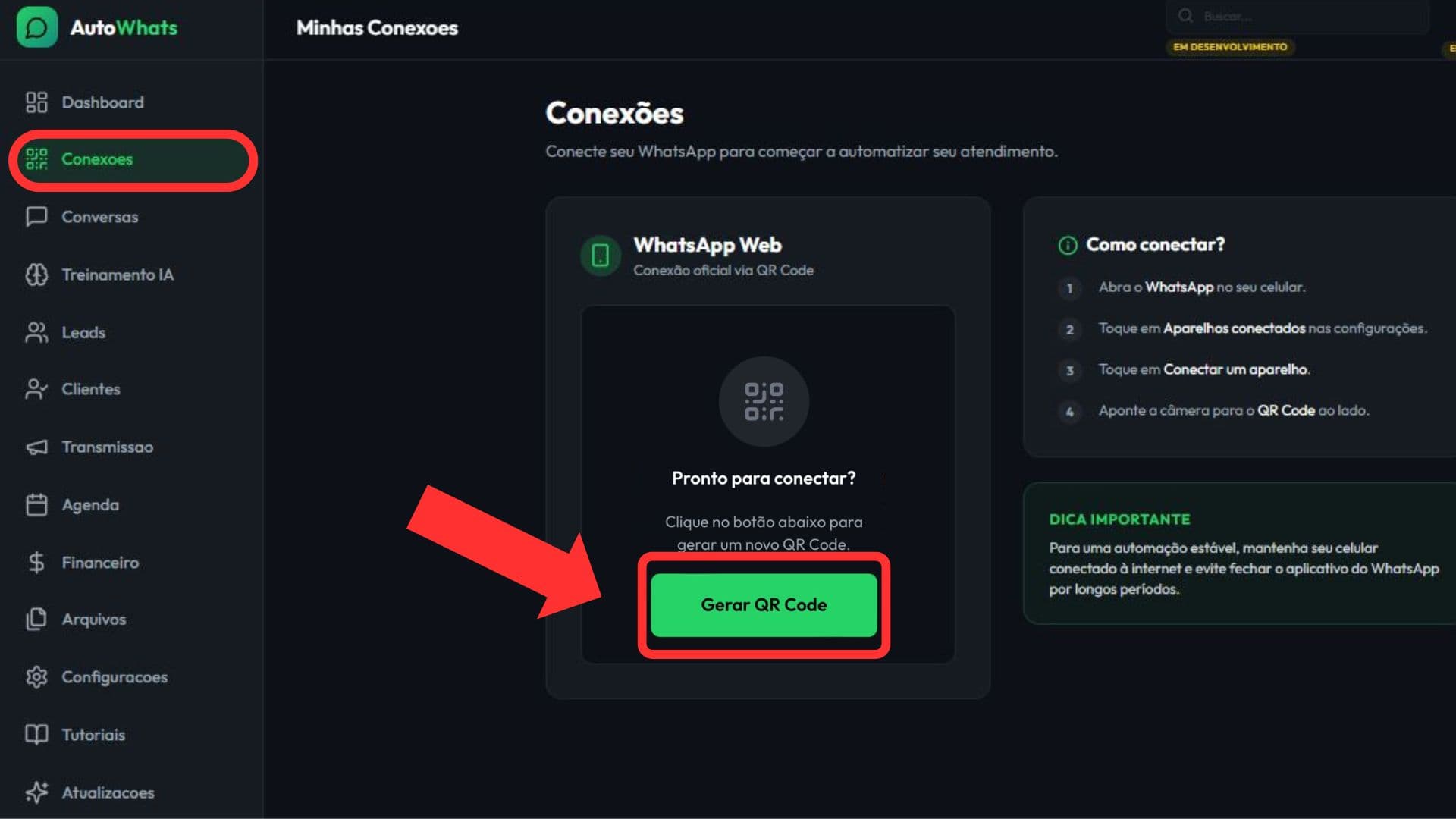
How to connect WhatsApp Business with a QR code
Practical guide to connect WhatsApp Business with a QR code and confirm the session is ready for operation.
7 min readRead guide
Repurposed product content to help you understand how to connect, configure, and operate WhatsApp support with AI.
Practical guide to connect WhatsApp Business with a QR code and confirm the session is ready for operation.
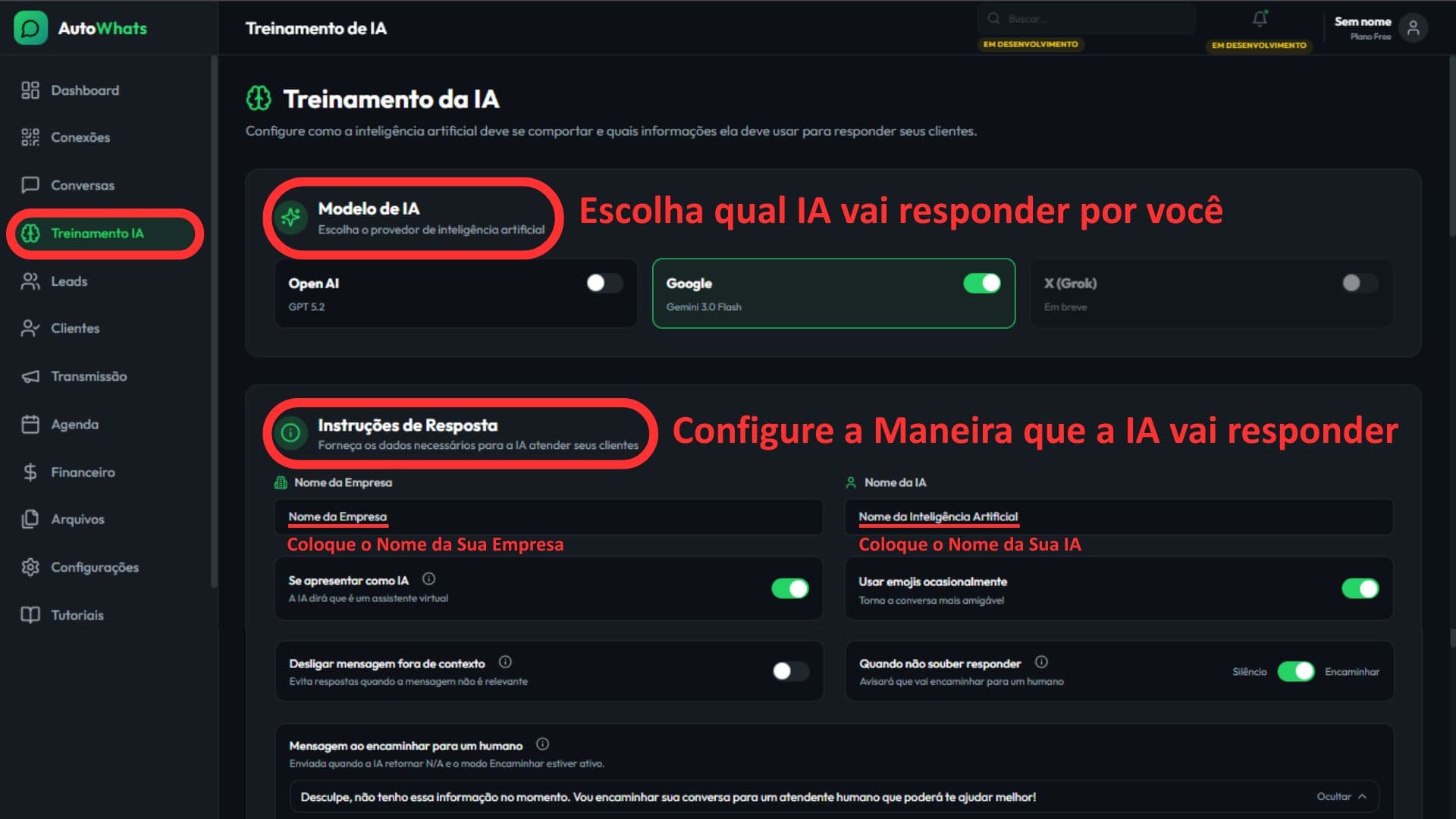
Practical guide to configure your business, services, tone of voice, FAQs, and handoff rules inside AutoWhats AI.
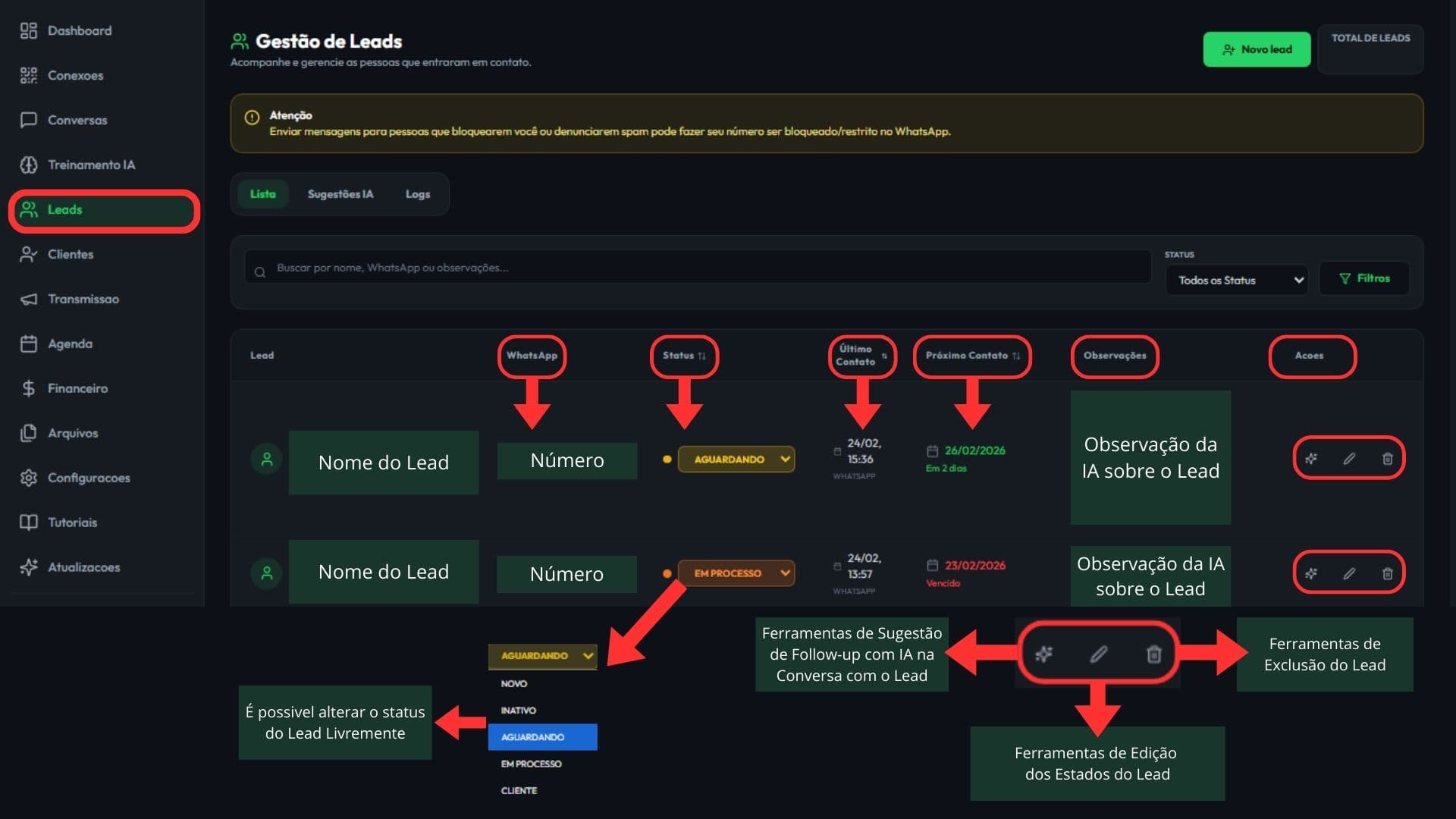
Learn how to read your lead list, filter contacts, review AI suggestions, and keep CRM organized on WhatsApp.
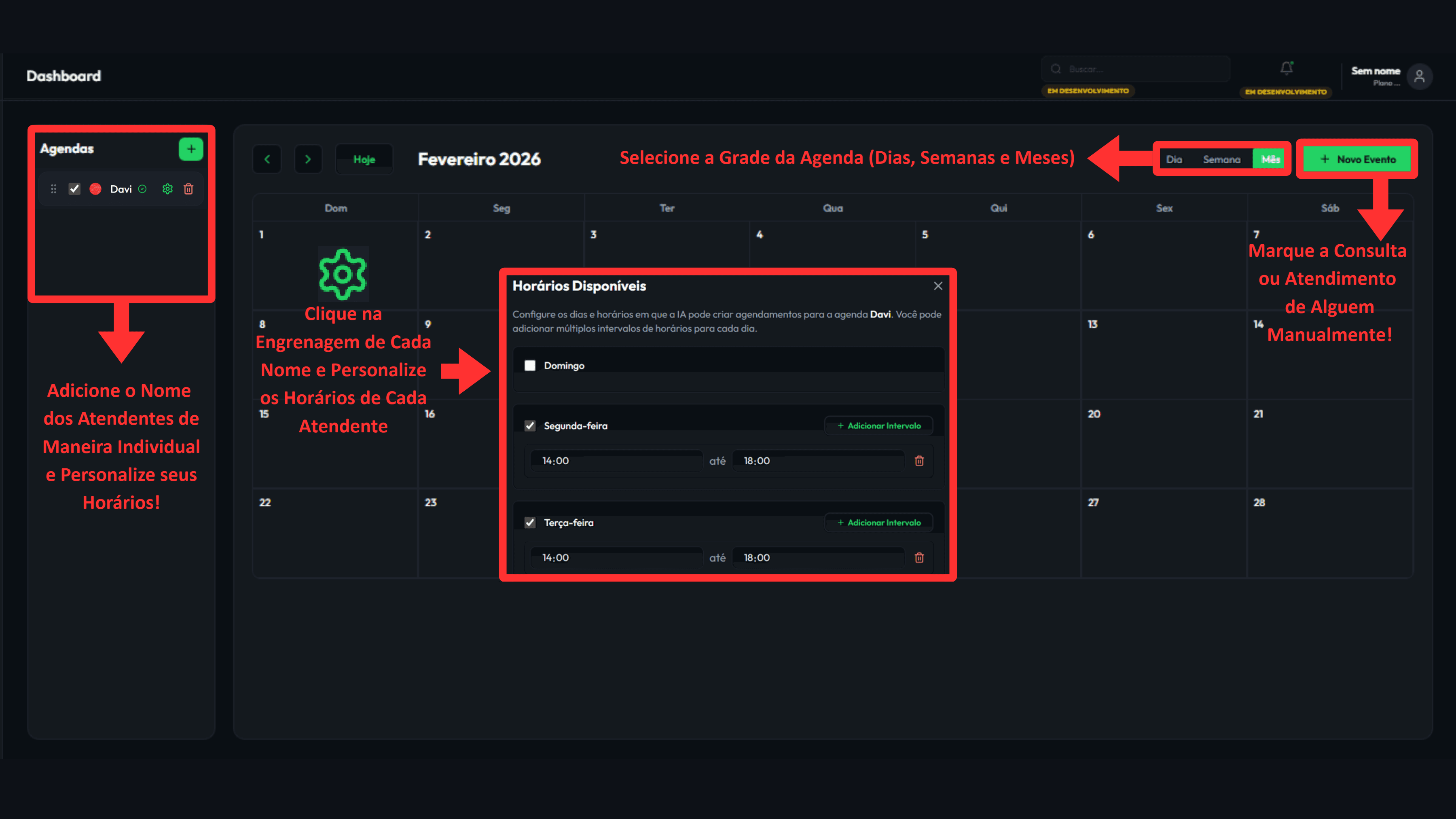
Guide to configure availability, review events, and keep scheduling conflict-free in your WhatsApp operation.
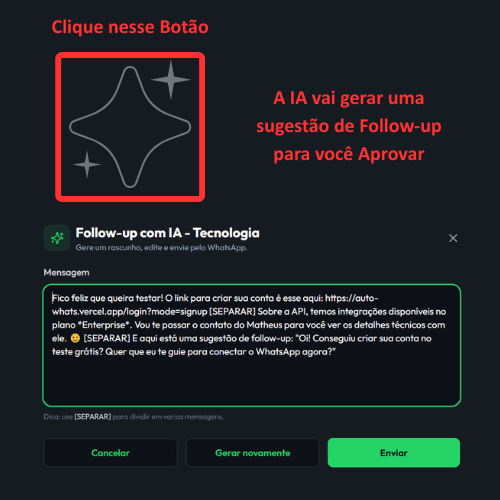
Guide to structure WhatsApp follow-ups, define the next contact, and resume leads with commercial context.
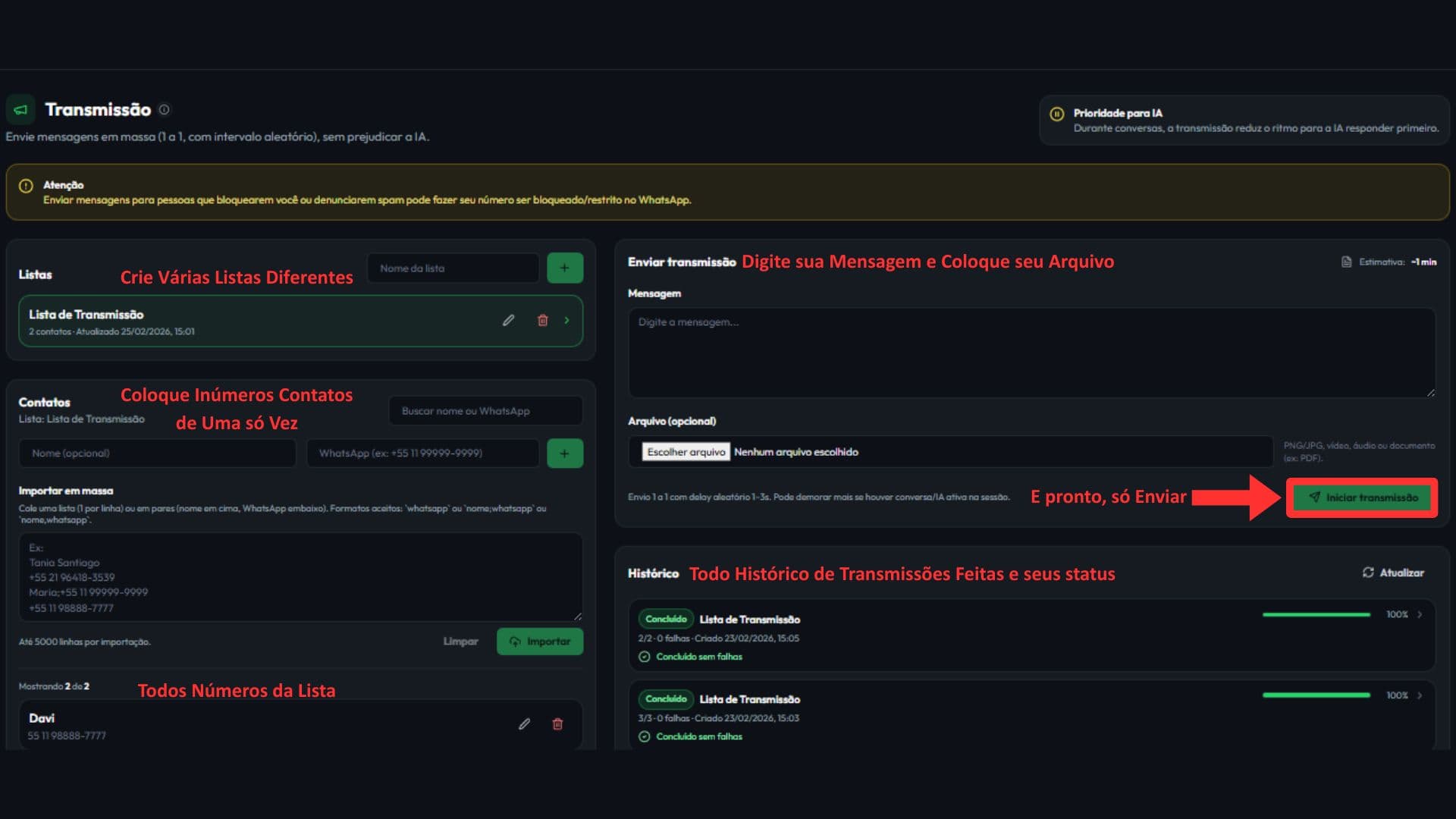
Guide to build WhatsApp broadcast campaigns with segmentation, review, and execution tracking.