WhatsApp CRM and leads: how to organize your funnel
Learn how to read your lead list, filter contacts, review AI suggestions, and keep CRM organized on WhatsApp.
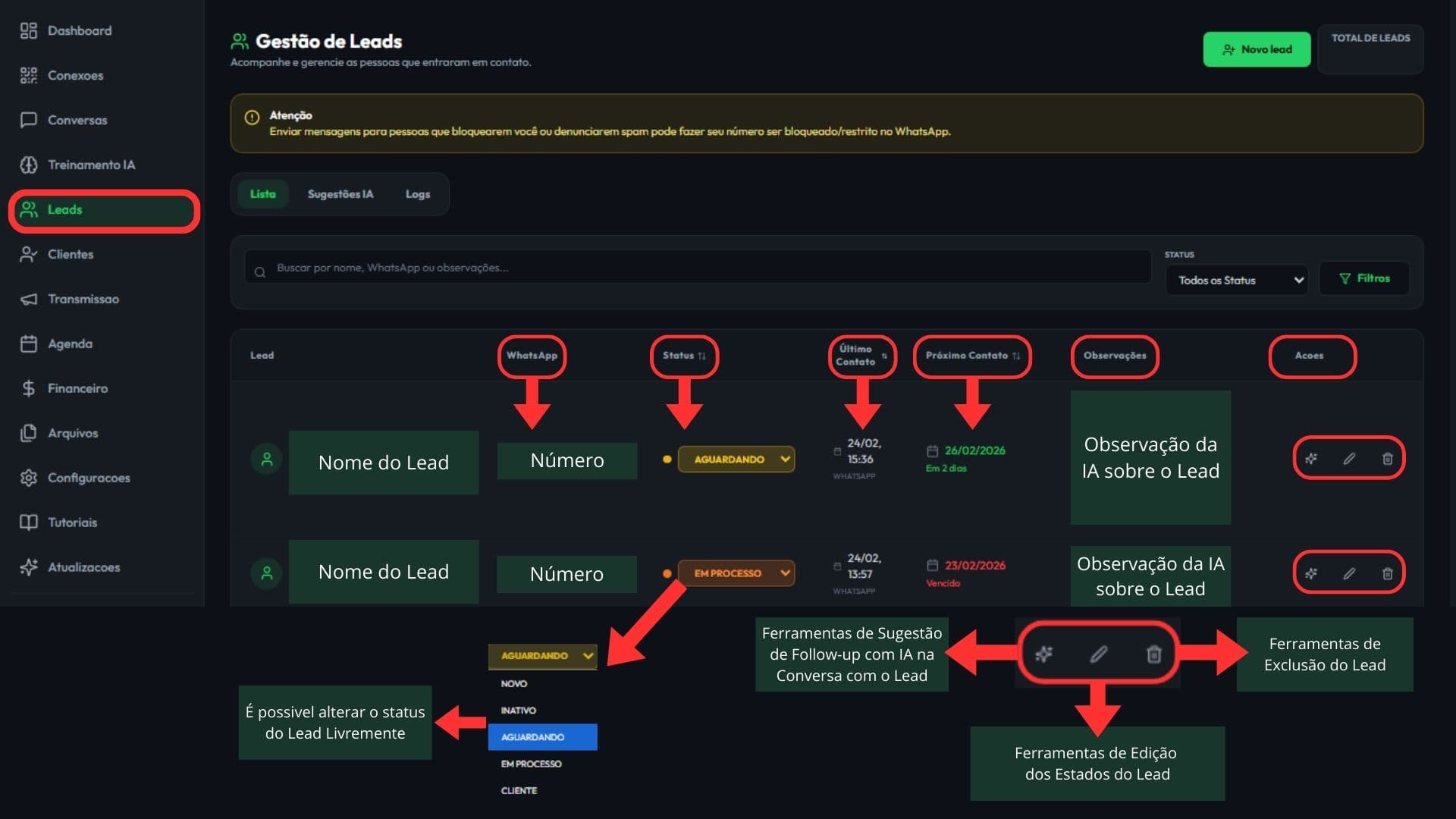
How to read the Leads table
What you'll learn: Which columns matter and how to interpret statuses and dates.
- Status indicates the stage of the service (New, Inactive, Waiting, In Process, Customer).
- Last Contact shows the last recorded interaction.
- Next Contact is your follow-up reminder (and it may be due).
- Observations help maintain context of the service.
Want to see this flow in practice?
Inside the product, this step appears in: Open Leads.
Filters that matter
What you'll learn: How to quickly find those who need action now.
- Filter by Status to focus on "New", "Waiting" and "In Process".
- Filter by Next contact: "Today" and "Overdue" to recover conversions.
- Use manual date filters to audit by period.
- Search for WhatsApp or words in the comments.
Want to see this flow in practice?
Inside the product, this step appears in: Open Leads.
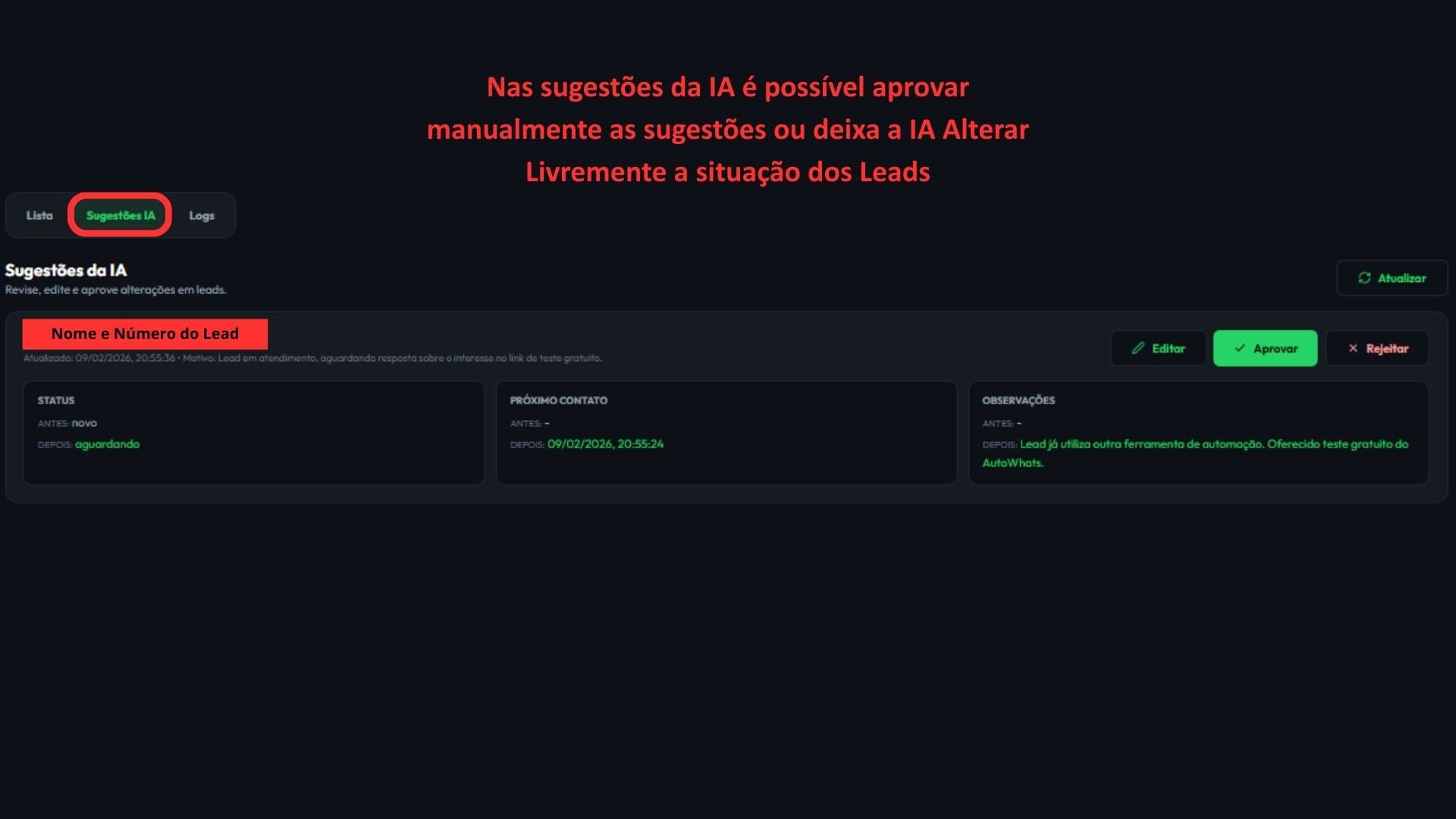
IA suggestions (review and application)
What you will learn: what the suggestions are and how to review them before applying.
- Suggestions can include status, observations and next contact.
- By default, review carefully: the AI suggests and you decide.
- With auto-approval enabled in training, changes can be applied automatically.
- Use this to standardize service and not let follow-ups expire.
Want to see this flow in practice?
Inside the product, this step appears in: Open Leads.
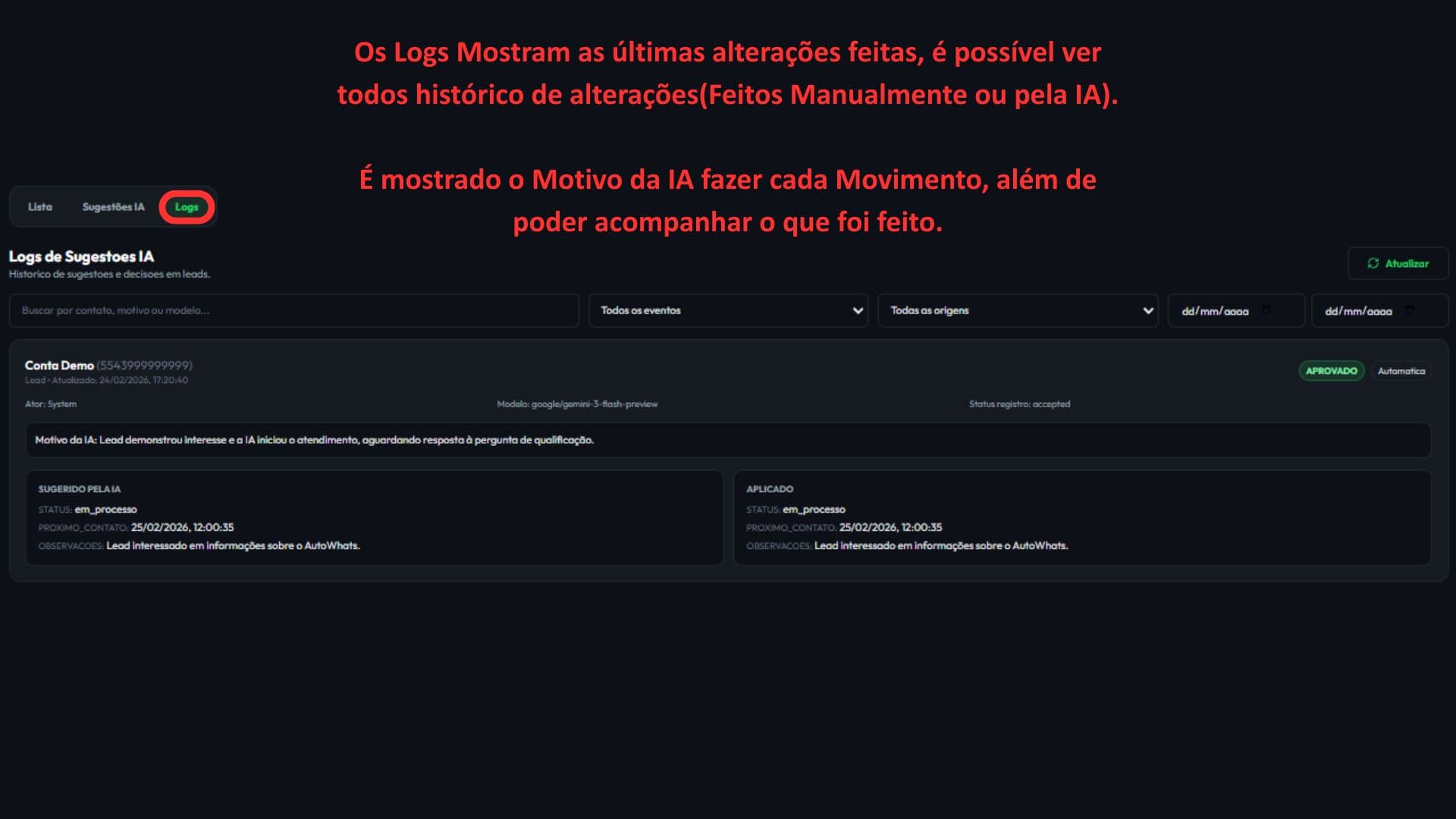
AI suggestion logs
What you will learn: How to track the history of changes made manually or by AI.
- Open the "Logs" tab to see the complete history of changes.
- Use the filters to find a specific lead, event, or date range.
- Check the AI reason for each change to audit the process.
Want to see this flow in practice?
Inside the product, this step appears in: Open Leads.
Next step
If this flow makes sense for your operation, the fastest path is to start a free trial and see AI running inside your own WhatsApp.
Related guides
WhatsApp follow-up: how to resume conversations without losing context
Guide to structure WhatsApp follow-ups, define the next contact, and resume leads with commercial context.
How to train AI for WhatsApp support
Practical guide to configure your business, services, tone of voice, FAQs, and handoff rules inside AutoWhats AI.