WhatsApp broadcasts: how to create campaigns safely
Guide to build WhatsApp broadcast campaigns with segmentation, review, and execution tracking.
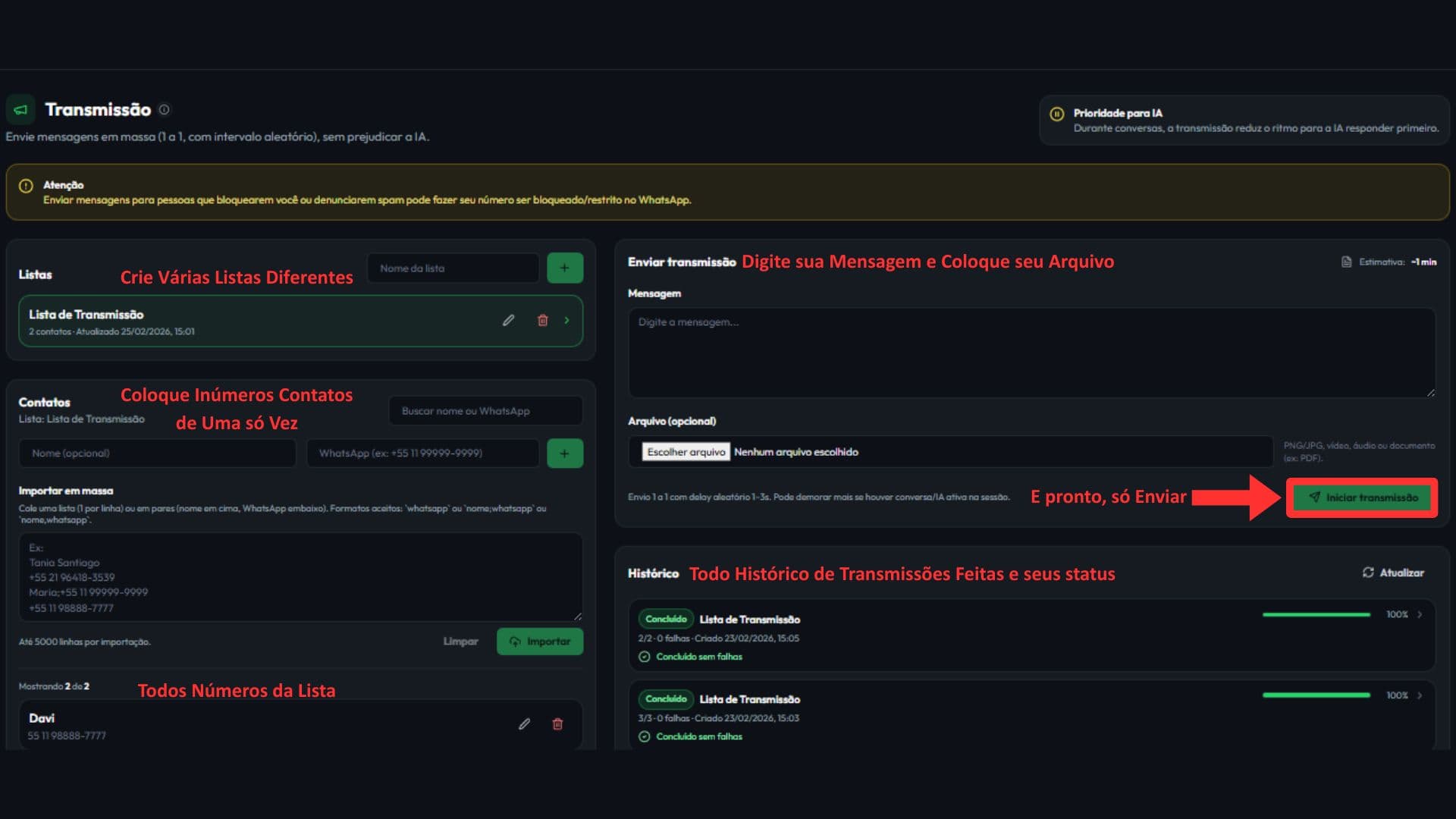
Broadcasts: complete walkthrough
What you will learn: build a list, send campaigns safely and track results in a single flow.
- 1
Open the Broadcast module
Go to Broadcast in the menu to start a new shot.
- 2
Name campaign and select audience
Use a clear name and choose only the right targeting.
- 3
Write an objective message
Use short language, direct CTA and a single next step.
- 4
Review and fire safely
Check variables, shipping time and total volume before sending.
Avoid blockages
Do not shoot at high volume without warming up. Start smaller and track responses and denials.
- Separate lists by objective so as not to mix cold and hot audiences.
- Keep track of which transmissions have completed and which need adjustment in the history.
- Leads that responded should return to the CRM with the next contact defined.
Want to see this flow in practice?
Inside the product, this step appears in: Open Broadcasts · Open Clients.
Next step
If this flow makes sense for your operation, the fastest path is to start a free trial and see AI running inside your own WhatsApp.
Related guides
WhatsApp CRM and leads: how to organize your funnel
Learn how to read your lead list, filter contacts, review AI suggestions, and keep CRM organized on WhatsApp.
WhatsApp follow-up: how to resume conversations without losing context
Guide to structure WhatsApp follow-ups, define the next contact, and resume leads with commercial context.